
How Payment Processing Works for Small Businesses (And How to Pay Less in 2026)
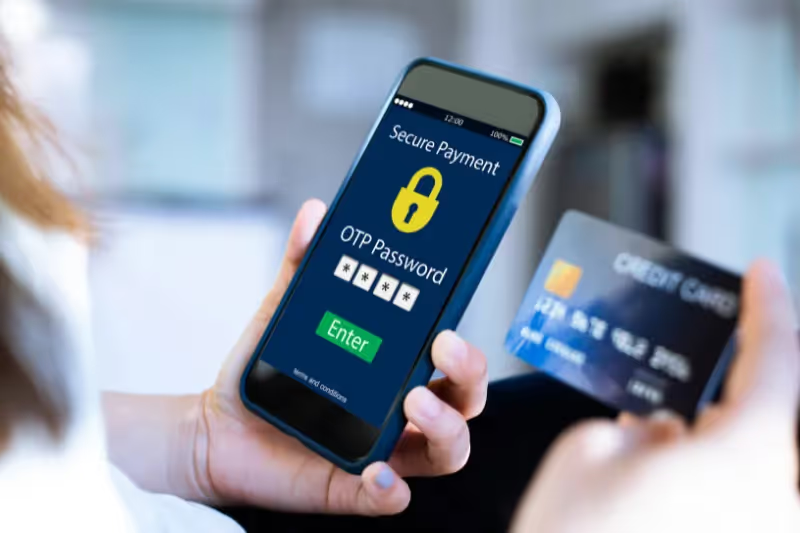
Payment processing is one of the most important—and least understood—parts of running a small business. Many owners know they’re paying fees, but don’t fully understand why, how much, or what alternatives exist.
In high-cost regions like the San Francisco Bay Area, those fees matter even more.
This guide breaks down how payment processing works, common pricing models, why small businesses often overpay, and how choosing a simpler, more transparent solution can help you keep more of what you earn.
What Is Payment Processing?
Payment processing is the system that allows your business to accept customer payments through:
- Credit and debit cards
- Contactless payments (tap-to-pay)
- Digital wallets (Apple Pay, Google Pay, etc.)
Behind every transaction is a network of banks, card brands, and processors that move money from your customer’s account into your business account—minus processing fees.
How a Credit Card Payment Works (Simplified)
Here’s what happens when a customer taps or inserts their card:
- The customer initiates a payment
- The transaction is sent to the card network (Visa, Mastercard, etc.)
- The customer’s bank approves or declines the payment
- Funds are transferred to your merchant account
- Processing fees are deducted
All of this happens in seconds—but the fees vary depending on your provider and pricing model.
Common Payment Processing Pricing Models
Understanding pricing models is key to knowing whether you’re overpaying.
Flat-Rate Pricing
- One fixed rate for all transactions
- Simple to understand
- Often more expensive for businesses with higher volume
Interchange-Plus Pricing
- Interchange fee + processor markup
- More transparent
- Can be complex to track
Dual Pricing / Surcharge Models
- Allows businesses to offset processing costs
- Requires proper setup and compliance
- Increasingly popular among fee-conscious small businesses
👉 For industry-specific examples, see our guides on payment processing for service businesses and POS systems for restaurants.
Why Many Small Businesses Overpay on Processing Fees
Small businesses often overpay because:
- Fees are buried in long statements
- Rates change without notice
- Extra features are bundled into higher plans
- Pricing isn’t explained clearly at signup
In competitive markets, even small inefficiencies can significantly impact monthly cash flow.
What Small Businesses Should Look for in a Payment Processor
No matter your industry, the right payment processor should offer:
Transparent Pricing
You should clearly understand:
- Transaction fees
- Monthly costs
- Hardware pricing
If pricing isn’t easy to explain, it’s probably not designed for small businesses.
Flexible Payment Acceptance
Modern businesses need to accept:
- In-person card payments
- Contactless payments
- Mobile payments
Your processor should support all without extra complexity.
Simple POS Integration
Your payment processor should work seamlessly with your POS system—without forcing you into bloated software you don’t need.
👉 Learn how POS systems vary by industry in our guides on best POS systems for retail stores and POS systems for beauty businesses.
Reliable Support
When something goes wrong, fast support matters. Look for providers that offer:
- Real human assistance
- Quick response times
- Support that understands small business workflows
How OlaPay Simplifies Payment Processing for Small Businesses
OlaPay was designed for small businesses that want essential features without unnecessary complexity.
Clear, Straightforward Pricing
OlaPay prioritizes transparency, so business owners always know:
- What they’re paying
- Why they’re paying it
- How their pricing works
No confusing fine print or surprise fees.
Built for In-Person & Mobile Payments
Whether you operate from a storefront, office, or on the go, OlaPay supports:
- Fast in-person payments
- Contactless and digital wallets
- Simple mobile payment options
Stress-Free Setup
Switching payment processors doesn’t have to disrupt your business. OlaPay’s team handles:
- System setup
- Hardware configuration
- Onboarding support
So you can stay focused on serving customers.
Payment Processing in the San Francisco Bay Area: City-Level Insights
Payment Processing for Small Businesses in San Francisco
San Francisco businesses face some of the highest operating costs in the country. Transparent pricing and fast checkout are critical for:
- Retail shops
- Restaurants and cafes
- Service-based businesses
Reducing unnecessary processing fees helps protect margins in a competitive market.
Payment Processing in San Jose
San Jose’s business landscape includes:
- Professional services
- Auto repair and trades
- Retail and food businesses
Flexible payment solutions that support in-person and mobile payments are especially valuable for service-based businesses operating across multiple locations.
Payment Processing in Oakland
Oakland businesses often balance:
- High foot traffic
- Community-driven retail
- Growing small business districts
Fast, reliable checkout and simple POS systems help improve customer experience while keeping costs predictable.
Payment Processing in Walnut Creek & the East Bay
Retailers and service businesses in Walnut Creek and surrounding East Bay cities benefit from:
- Clean, professional checkout experiences
- Transparent pricing
- Easy-to-train POS systems
These features support both established businesses and newer storefronts.
How Payment Processing Connects Across Industries
While payment processing fundamentals stay the same, needs vary by industry. Explore how solutions differ for:
Get a Free Payment Processing Review
Many small businesses are surprised to learn how much they’re paying—or how complicated their setup really is.
OlaPay offers a free payment statement review to help you:
- Understand current fees
- Identify inefficiencies
- Explore simpler, more cost-effective options
No obligation. Just clear insights.
Final Thoughts
Payment processing shouldn’t feel confusing or out of your control. With the right provider, small businesses can accept payments confidently, manage costs effectively, and focus on growth.
By choosing a payment processor built for simplicity, transparency, and local support, Bay Area businesses can operate more efficiently—today and in the future.
